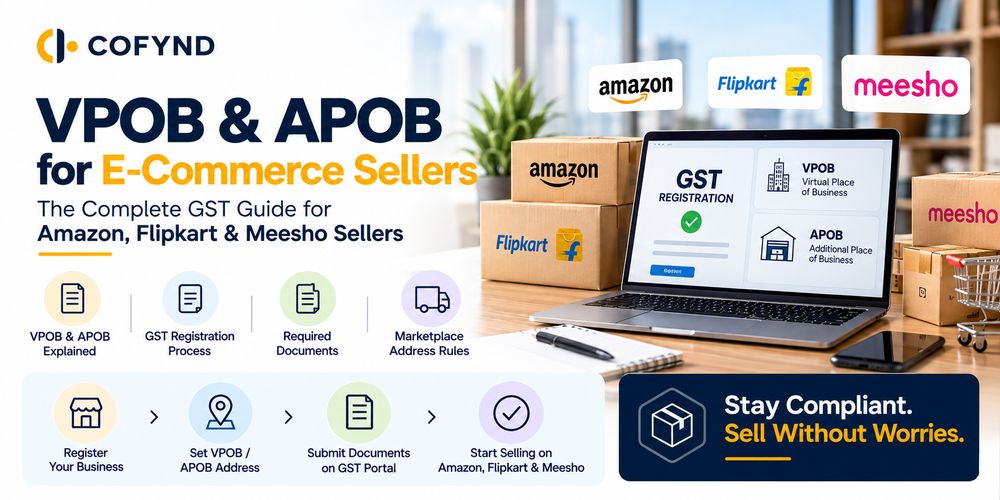
Selling products online through Amazon, Flipkart, or Meesho is become easy today, but managing GST rules can sometimes be confusing. If you are an e-commerce seller, you may have heard terms like VPOB and APOB while dealing with GST registration. But what do these terms actually mean, and when do you need them?
VPOB means Virtual Place of Business, while APOB means Additional Place of Business. Both are important when you sell products online and operate your business from different locations or warehouses.
In this blog, we will explain VPOB and APOB and help you understand their role in GST. We will also cover when Amazon, Flipkart, and Meesho sellers may need them, how to add them to GST registration, and the basic compliance points you should keep in mind.
What are VPOB, APOB, and Their Role in GST for E-commerce Sellers?
If you sell products on Amazon, Flipkart, or Meesho, during GST registration you might hear terms like VPOB and APOB. In simple words, these are related to your business address.
VPOB (Virtual Place of Business) is a business location where your business is officially registered, without having a regular physical office there. It can be useful for e-commerce sellers who need a proper address for GST and other business-related work.
APOB (Additional Place of Business) is an extra business location other than your main business address. For example, if your main office is in Delhi but you keep your stock in a warehouse in Bangalore, that warehouse can be added as an APOB, if required under GST rules.
Understanding the Role of VPOB and APOB in GST
In the e-commerce business, sellers keep their products in different warehouses or work from different business locations. It is important for businesses to show their business locations correctly in their GST records.
The purpose of VPOB and APOB is that the business-related locations are clearly and properly mentioned in the GST records. When GST records are clear, seller easily maintain GST compliance and also avoiding unnecessary problems in the future.
But one important point: VPOB and APOB are not the same, and every e-commerce seller doesn’t need both. Which one is important for your business depends on your business model, state, stock location, and GST rules.
VPOB vs APOB: What is the Difference Between These Two?
VPOB and APOB are both related to business locations, but they are not the same thing. The easiest way to understand them is by looking at how and why the business address is being used.
VPOB (Virtual Place of Business) is used when a business needs a proper business address without renting a physical office. APOB (Additional Place of Business) is an extra location where the business carries out its work. This can be a warehouse, branch, shop, or another place used for business activities.
For e-commerce sellers, understanding 9the difference becomes important when they sell products from different locations. For example, if you only need a business address, a VPOB is enough. But if you keep your products in another warehouse or operate from another business location, then APOB is required. So, before adding VPOB or APOB to your GST registration, first understand how you are actually using the address. This will help you choose the right option and keep your GST details correct.
When Do Amazon, Flipkart and Meesho Sellers Need VPOB or APOB?
If you sell on Amazon, Flipkart, or Meesho, you need a VPOB or APOB depending on how you run your business. For example, if you are running your online business from home and need a proper business address for GST, then a VPOB can be useful. You don't need to take a full office just for having a business address.
And if you already have a main business address, but you also keep your products in another warehouse or location. In this case, that extra location is added as an APOB.
For Amazon Sellers-
If you sell on Amazon and use a separate warehouse for your products, then you need to show that location correctly in your GST records. If you only need a business address and don't have a physical office, then you can choose VPOB.
For Flipkart Sellers -
The same thing applies to Flipkart sellers. If you keep your products on another warehouse or location, you need to add it as an APOB. And If you don't have a regular office and only need a business address for your business purposes, then you need to add it as a VPOB.
For Meesho Sellers -
Meesho sellers also need a VPOB or APOB based on their business setup. If you work from home and need a business address, then you have to add this as a VPOB in the GST records. If you have another warehouse or location, then you have to this asa APOB while GST registration.
How to Add VPOB or APOB to Your GST Registration?
If you want to use a VPOB or APOB for your e-commerce business, you first need to check what type of business address you actually have and how you are using it.
How to Add a VPOB?
Adding a Virtual Place of Business for GST is not very difficult. First, you need to get a virtual office address from a trusted provider. He will give you the documents needed for GST registration. After that, you can use these documents while applying for GST registration. If you already have GST, you can update your GST details as needed. You need to upload documents like virtual office agreement, Address proof, NOC or permission from the owner, and other documents asked by the GST department.
How to Add an APOB?
If you have another business location, such as a warehouse, branch, or office, you can add it as an Additional Place of Business (APOB) in your GST registration.
1. Log in to the GST portal -
Open the GST portal and log in with your GST details.
2. Select amendment of registration -
After logging in, go to Services → Registration → Amendment of Registration. Here, you can make changes to your existing GST details.
3. Add the additional business location -
Enter the details of the new place that you want to add as an APOB.
4. Upload the required documents -
You have to upload documents related to the place, such as proof of the business address and other documents asked for during the process.
5. Submit the application -
Check all the details once and submit the application using the required verification method.
VPOB & APOB GST Compliance Checklist for E-Commerce Sellers
If you sell on Amazon, Flipkart, or Meesho, you should keep your GST details and business addresses up to date. Before using a VPOB or APOB, you can quickly check these points:
- Check your GST details - Make sure your business name, GST number, and address are correct.
- Use the correct business address - The address you give for GST should be real and match your business documents.
- Keep your documents ready - Keep your rent agreement, virtual office agreement, address proof, NOC, or other required documents safely.
- Add extra locations when needed - If you use another warehouse, branch, or business location, check whether it needs to be added as an APOB.
- Keep VPOB documents safe - If you are using a virtual office, keep the agreement and other address-related documents with you.
- Keep GST details updated - If your business address or other details change, update these changes by logging in to the GST portal.
Frequently Asked Questions
Q - Is VPOB for Amazon sellers mandatory?
Ans - No, VPOB is not required for every Amazon seller. Whether you need VPOB depends on your business setup, address needs, and applicable GST requirements. Some sellers work from their own registered business address, while others may need a virtual address. So, VPOB for online sellers depends on the specific situation.
Q - Can one seller have both VPOB and APOB?
Ans - Yes, a seller can have both VPOB and APOB when their business setup requires different types of addresses or locations. However, having both is not necessary for every seller. Their need depends on how the business operates and where its activities take place.
Q - Can I use my home address for GST instead of VPOB?
Ans - Yes, you can use your home address for GST if it is your actual business place and the required conditions are met. In that case, you may not need a VPOB. At the time of GST registration, make sure that the business address is correct and that you have the required documents.
Q - Do I need APOB if I have only one business location?
Ans - No, you normally do not need APOB just because you are an e-commerce seller. APOB means an additional business location apart from your main address. If you have only one business location, you don’t need APOB.
Q - Can I have more than one APOB?
Ans - Yes, a business can have more than one APOB when it has multiple additional business locations. For example, an e-commerce seller has warehouses in different cities. Each additional business location should be added correctly under GST, along with the documents needed for that location.